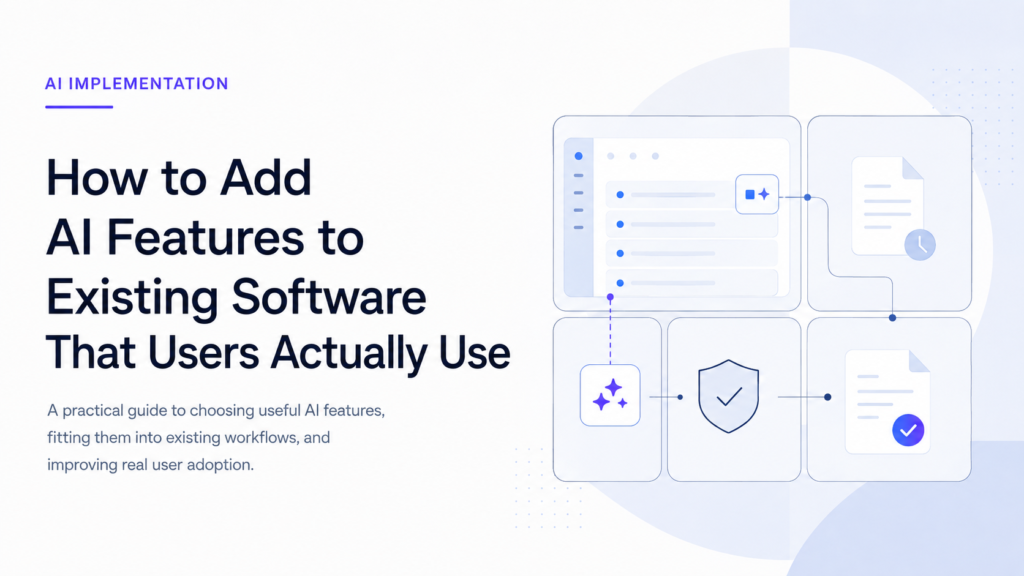
How to Add AI Features to Existing Software That Users Actually Use
Published on August 1, 2026
Use AI to summarize this article
 ChatGPT
 Claude
 Grok
Grok Perplexity
 GoogleAI
Adding AI to existing software is easy. Adding an AI feature that users continue to use is much harder.
Many software companies start with the technology. They choose a model, add a chat box, connect an API, and announce that the product now includes AI. Users may try it once, but many return to the old workflow because the new feature did not remove any real work.
The problem is not always the model. The problem is usually where and how the AI was added.
A useful AI feature should make an existing task faster, easier, or more accurate. It should fit into the way users already work. It should not force them to learn a separate workflow just to access the AI.
This article explains how to add AI features to existing software in a way that users can understand, trust, and adopt.
Why AI features fail inside existing software
An AI feature often fails because it was added before the team understood the user problem.
The product team may decide that every modern application needs a chatbot. The engineering team may build it correctly. The model may return good answers. But if users do not need a chatbot during their normal work, the feature will still have little value.
Common reasons AI features fail include:
- The feature solves a problem users do not consider important
- Users have to leave their normal workflow to use it
- The output needs more correction than doing the task manually
- The feature is slow and gives no clear progress
- Users do not understand what data the AI used
- The AI takes actions without enough control
- The company measures usage but not whether the task improved
A successful AI feature starts with a real user problem. The model choice comes later.
Start with the user problem instead of the model
Before deciding which AI model or framework to use, describe the task in simple words.
For example:
- Support agents spend too much time reading long ticket histories
- Sales teams repeat the same research before every follow up
- Finance teams manually review reports to find unusual changes
- Recruiters rewrite similar job descriptions every week
- Customers struggle to find answers inside product documentation
These are clear problems. Each one can be measured, observed, and tested.
Google’s People and AI Guidebook recommends finding the point where a real user need matches something AI can do well. That is a better starting point than adding AI because competitors have added it.
Ask these questions before building:
- Who experiences the problem?
- How often does it happen?
- How much time or effort does it consume?
- What does a correct result look like?
- Can the user review or correct the output?
- Would AI remove a step or add another step?
If the answers are unclear, the AI feature is probably not ready to be built.
Choose an AI feature that fits the current workflow
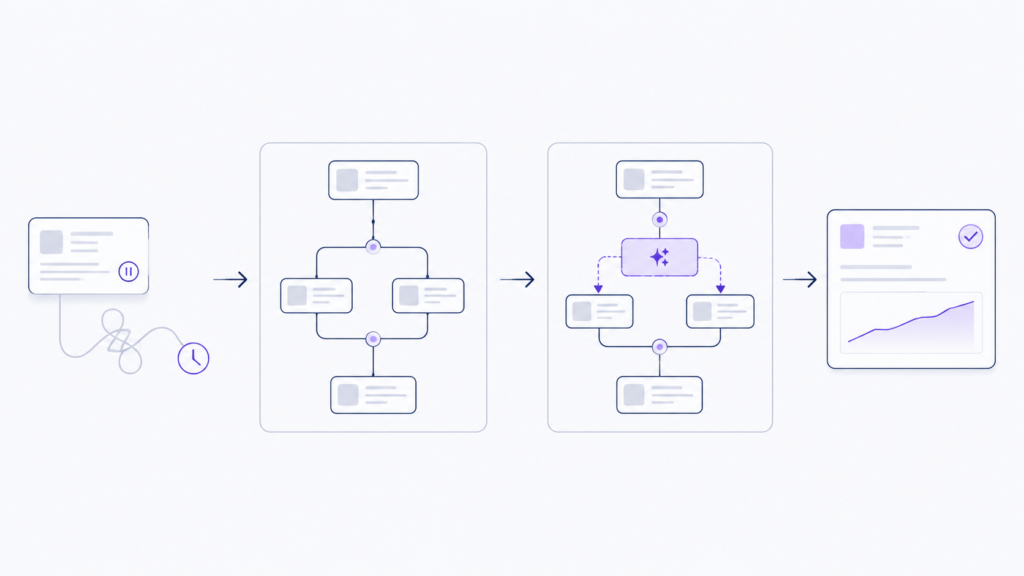
The best first AI feature is usually a small improvement inside a task users already complete.
It does not need to replace the full workflow. It only needs to remove one slow or repetitive part.
| Existing problem | Weak AI feature | Stronger AI feature |
|---|---|---|
| Support agents read long ticket histories | A separate chatbot for support staff | A short ticket summary shown inside the ticket |
| Sales teams prepare follow up messages | A general writing assistant | A draft created from the current lead and recent activity |
| Users search product documentation | A chatbot with access to every document | Answers inside the help area with links to approved sources |
| Teams classify incoming requests | A full autonomous agent | Automatic category suggestions with manual correction |
| Managers review weekly reports | A new AI dashboard | Important changes highlighted inside the current report |
The stronger examples do not ask users to change how they work. The AI appears at the right point inside the existing product.
Decide whether AI should assist automate or work in the background
Not every AI feature should behave in the same way.
There are three useful patterns.
AI assistance
The AI prepares something and the user decides what happens next.
Examples include drafting an email, summarising a document, suggesting a reply, or recommending a category.
This is often the safest place to start because the user remains in control.
AI automation
The AI completes a task without requiring review every time.
Examples include tagging low risk records, routing requests, extracting known fields, or generating an internal report.
Automation works best when the task has clear rules and incorrect results can be detected or reversed.
Background AI
The AI monitors data and surfaces something when attention is needed.
Examples include detecting unusual account activity, identifying a sales change, finding inventory risk, or warning a team about missing information.
This pattern can be more useful than a chatbot because users do not need to know what question to ask. We discussed this approach in our article on how we built proactive AI instead of chat based AI.
Design the feature around one clear moment
A useful AI feature should have a clear trigger, clear context, clear output, and clear next action.
The trigger
Define when the feature should appear or run.
It may start when a user opens a ticket, uploads a document, selects a customer, submits a form, or requests a report.
Do not show AI controls everywhere. Show them where the feature is relevant.
The context
Define what information the AI needs for this specific task.
A sales draft may need the lead name, recent messages, company details, and product information. It does not need the entire CRM database.
Good context improves quality and reduces unnecessary cost. Our guide to context engineering for AI agents explains how memory, retrieval, tools, permissions, and business data should be selected.
The output
Decide exactly what the feature should return.
The output may be a short summary, a structured record, a suggested reply, a warning, or a list of next steps.
Structured outputs are usually easier to validate than open ended responses.
The next action
Make it clear what the user can do after receiving the output.
The user may accept it, edit it, reject it, retry it, open the source, or send it for approval.
An AI response without a useful next action often becomes another piece of content the user has to process.
Do not make every AI feature a chatbot
A chatbot is useful when users have different questions and need a flexible way to explore information.
It is not the best interface for every problem.
If the task is summarising a ticket, show the summary inside the ticket. If the task is extracting invoice fields, place the fields inside the invoice workflow. If the task is recommending the next action, show the recommendation beside the current record.
The feature should match the task.
Making users open a chat window, describe the situation, and ask for help can add more work than it removes.
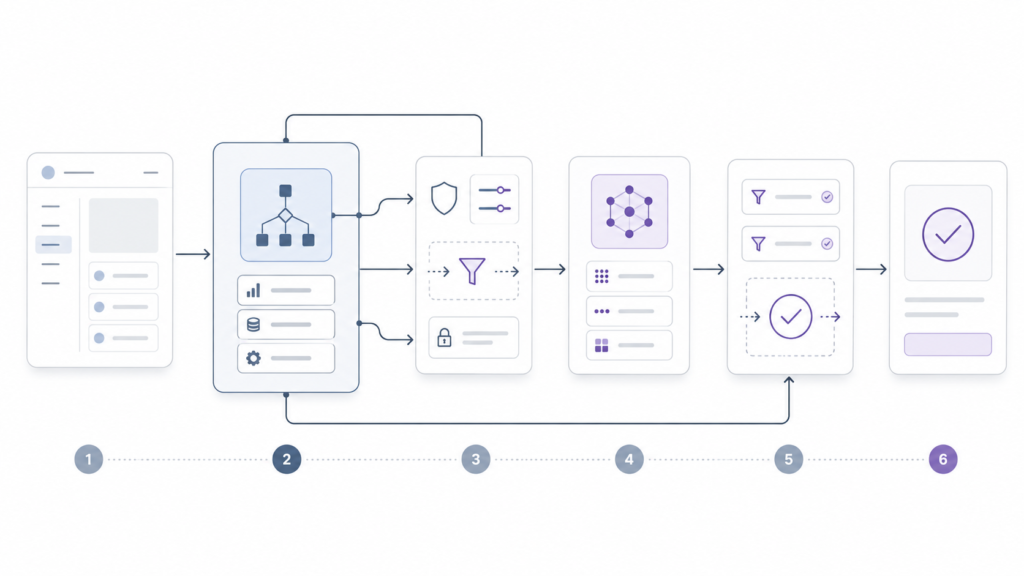
A simple architecture for adding AI to existing software
The AI model should not be connected directly to the user interface or production database.
A safer architecture keeps the main application in control.
User action
Application backend
Identity and permission check
Context and data selection
AI model or tool workflow
Output validation
User interface
User review or approved action
Logs and monitoring
The application backend should decide what data the model receives, what tools are available, and what actions are allowed.
The model may create a suggestion, but the application should validate the result before displaying or executing it.
For example, if the AI prepares a CRM update, the backend should check:
- Whether the user can update that record
- Whether the proposed fields are allowed
- Whether required values are present
- Whether the same action already happened
- Whether human approval is required
This is normal software engineering. AI does not remove the need for application rules.
Give users control when AI is wrong
Every AI feature will produce weak or incorrect results at some point.
The product should make correction easy.
Useful controls include:
- Edit the output before using it
- Reject the suggestion
- Try again with different context
- Undo an AI action
- View the source used for the answer
- Report a problem
- Continue manually when the AI is unavailable
Microsoft’s Guidelines for Human and AI Interaction provide practical guidance for designing how AI should behave during normal use, when it is wrong, and as it learns over time.
User control is not only a safety feature. It also helps the product team learn where the AI is failing.
Handle slow responses and failures properly
AI requests can take longer than normal software actions. The model may be slow, an external API may fail, or a background job may need more time.
The interface should not leave the user staring at an endless loading indicator.
Show a clear status such as:
- Reading the selected records
- Preparing the draft
- Checking the result
- Waiting for approval
- Unable to complete the request
For longer work, use background jobs instead of keeping one web request open. Give the user a job status and allow them to continue using the software.
The system should also have a fallback. If the AI is unavailable, users should still be able to complete the task manually.
Our article on AI architecture behind reliable AI agents explains queues, retries, state, logs, and failure handling in more detail.
Protect user data and permissions
Adding AI does not change the security rules of the application.
A user should not gain access to additional data because the request is passing through an AI model.
The application should apply the same user roles, account boundaries, and document permissions before information reaches the model.
Important controls include:
- Send only the data required for the task
- Remove secrets and unnecessary personal data
- Keep customer accounts separated
- Validate every tool request
- Log important AI actions
- Require approval for risky actions
- Define how long prompts and outputs are stored
NIST provides a voluntary AI Risk Management Framework that helps organisations consider AI risks across design, development, deployment, and use.
You can also read our guide on AI security for business for practical controls around data, agents, prompts, and tool access.
Measure whether users actually find the feature useful
A high number of AI requests does not automatically mean the feature is valuable.
Users may open it because it is new. They may also keep retrying because the results are poor.
Measure the outcome of the task, not only the number of model calls.
| Metric | What it tells you |
|---|---|
| Activation rate | How many eligible users try the feature |
| Repeat use | Whether users return after the first attempt |
| Acceptance rate | How often users accept the AI output |
| Edit rate | How much correction the output needs |
| Task completion time | Whether the feature makes the task faster |
| Task success rate | Whether users reach the correct final result |
| Failure rate | How often the workflow cannot finish |
| Manual fallback rate | How often users return to the old process |
| User correction patterns | Where the model or workflow needs improvement |
Define these measurements before launch. Otherwise, the team may collect usage data without knowing whether the feature improved anything.
Test with realistic examples before release
Do not test the feature only with clean prompts written by the development team.
Real users provide short inputs, incomplete details, spelling mistakes, conflicting information, and requests the feature was not designed to handle.
Create a test set from realistic situations. Include:
- Common requests
- Unclear requests
- Missing information
- Incorrect information
- Long inputs
- Permission failures
- Model timeouts
- Cases where the AI should refuse
- Cases where human review is required
Anthropic describes evaluations as tests that provide an input to an AI system and apply grading logic to determine whether the result meets the requirement. Its guide to AI agent evaluations explains how these tests can cover both simple outputs and longer workflows.
Our guide on how to test AI agents before production covers sandbox testing, tool checks, retries, permissions, logs, and controlled rollout.
Roll out the feature in stages
Do not release a new AI feature to every user at once.
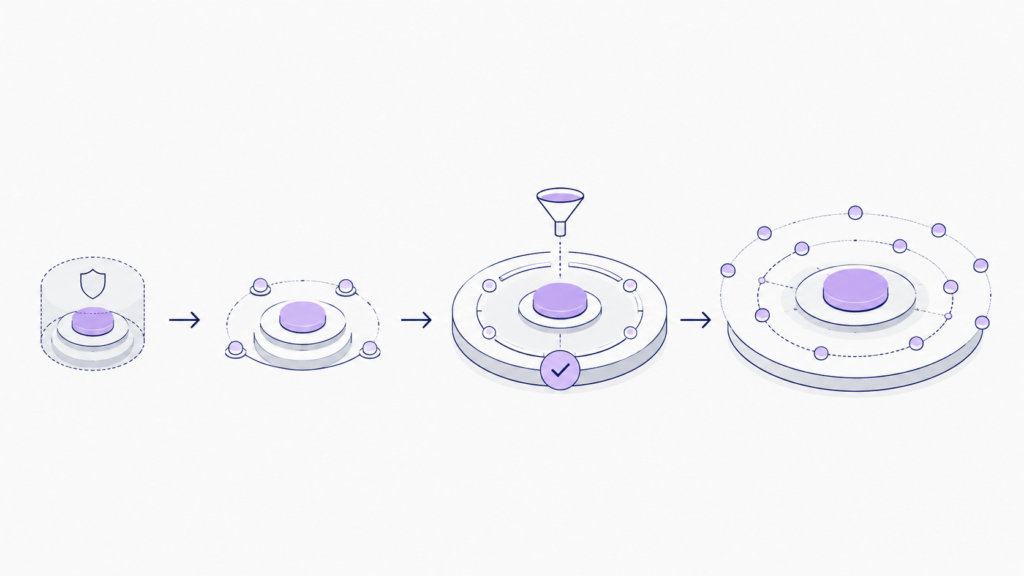
A safer rollout may follow these stages:
- Test internally with the product and support teams
- Release to a small group of trusted users
- Collect corrections and failure cases
- Improve the workflow and evaluation set
- Expand access gradually
- Monitor quality cost and adoption after release
Start with suggestions before automatic actions. Give the feature more responsibility only after the results are stable and users trust it.
Common mistakes when adding AI to existing software
- Adding AI because competitors have it
- Starting with a chatbot instead of a user problem
- Trying to automate the full workflow immediately
- Sending too much data to the model
- Giving the model direct access to production systems
- Hiding uncertainty from users
- Providing no manual fallback
- Measuring tokens instead of user outcomes
- Launching without a realistic test set
- Leaving no team responsible for the feature after launch
A practical checklist for your first AI feature
- Define one clear user problem
- Confirm that AI is suitable for the task
- Place the feature inside the current workflow
- Decide whether it should assist automate or monitor
- Define the exact trigger context output and next action
- Give users a way to review and correct the result
- Keep permissions and business rules inside the application
- Add loading states failure messages and manual fallback
- Test with realistic and difficult examples
- Measure task success repeat use and time saved
- Release to a small group before wider access
- Keep monitoring the feature after launch
Final thoughts
The best AI feature is not the one with the most advanced model. It is the one that solves a clear problem without making the product harder to use.
Start with the existing workflow. Find one part that is slow, repetitive, or difficult. Add AI where it can remove effort. Keep the user in control. Measure whether the task actually improves.
AI should feel like a useful part of the software, not another product added on top of it.
If your company wants to add AI to an existing application and needs help choosing the use case, designing the workflow, integrating the model, and testing it in production, Byteonic Labs works as an AI implementation partner for startups, software teams, and enterprise applications.
Start with one clear user problem, then add AI inside the existing workflow where it can remove manual work. The application should remain in control of permissions, data access, validation, and final actions.
The best first feature is usually a focused task that users already perform often. Good examples include summarising tickets, drafting replies, extracting document data, classifying requests, or highlighting unusual changes.
No. Most AI features can be added through the existing backend, APIs, databases, and user interface. A complete rebuild is usually unnecessary unless the current architecture cannot support secure integrations, background processing, or reliable data access.
Users stop using AI features when they add more steps, produce unreliable results, respond slowly, or do not fit the existing workflow. A feature may look impressive but still fail if it does not save time or improve the final result.
No. A chatbot works well for open questions, but many tasks need a different interface. A ticket summary should appear inside the ticket. A suggested CRM update should appear beside the record. The interface should match the task.
Keep identity checks, permissions, data selection, validation, and business rules inside the application. The AI model should receive only the data it needs and should not have direct unrestricted access to production systems.
Track repeat usage, acceptance rate, edit rate, task completion time, failure rate, manual fallback rate, and user corrections. The most important question is whether the feature helps users complete the task faster or more accurately.
Human approval should be required when an action affects customers, money, permissions, legal information, financial records, or production systems. Low risk tasks such as summaries and drafts can often run without approval.
Test it with realistic user inputs, missing information, incorrect data, permission failures, model timeouts, and cases where the AI should refuse or ask for help. Testing only clean examples from the development team is not enough.
Start with internal testing, then release it to a small group of users. Review failures, corrections, cost, and adoption before expanding access. Begin with suggestions before allowing the AI to take automatic actions.