
BLUEPRINT
AI-Powered Legal and Regulatory Document Intelligence
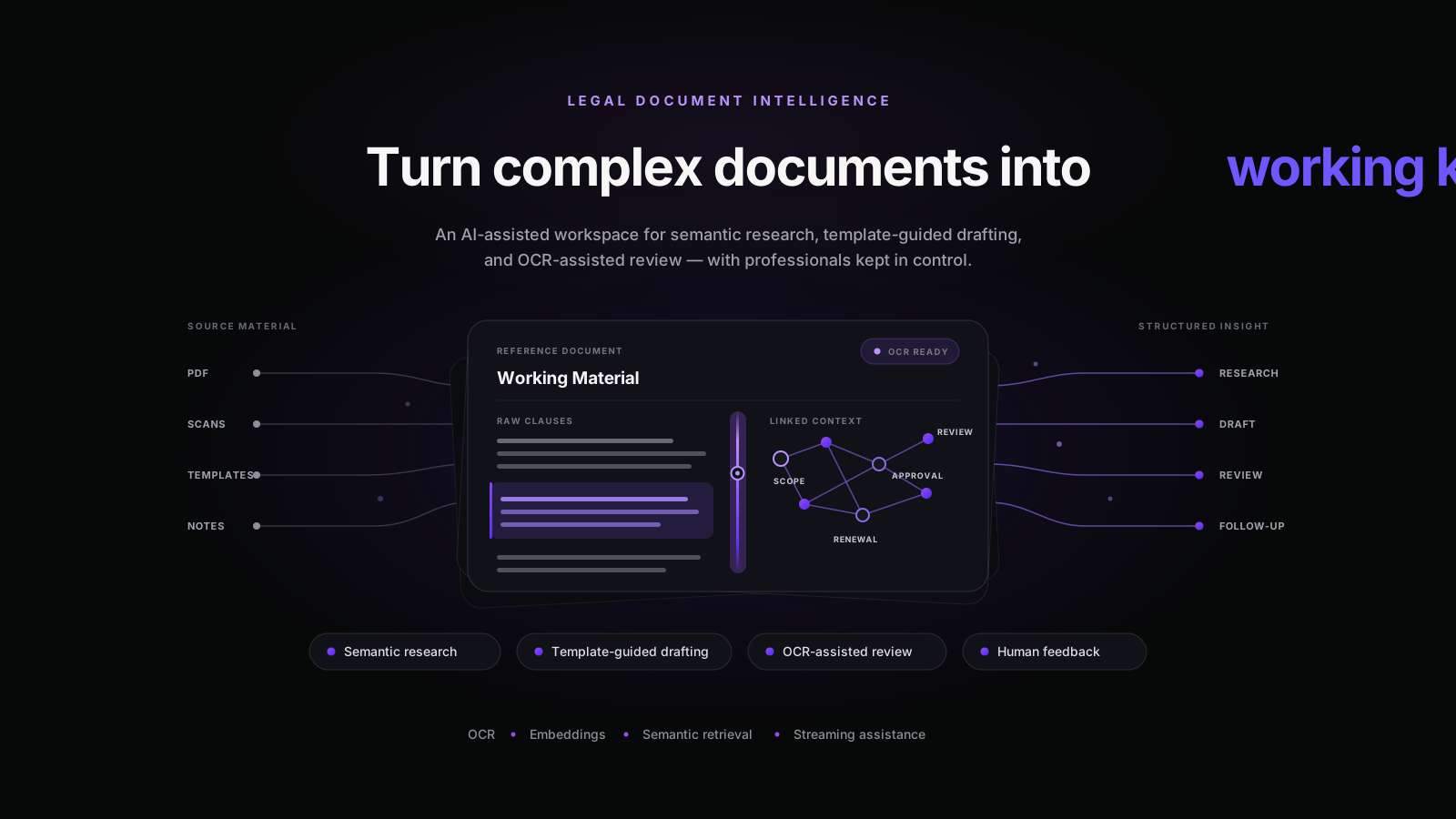
Byteonic Labs designed and built an AI-assisted legal document workspace that combines semantic research, template-guided drafting, and OCR-powered document review. The functional prototype transforms uploaded files and curated knowledge into searchable, editable, and conversational workflows while keeping professional review at the center.
3x
Research, drafting and document review
OCR + RAG
From uploaded files to contextual Q&A
Real-time
Streamed AI-assisted responses
Overview
Byteonic Labs designed and developed an AI-assisted workspace for working with complex legal and regulatory documents. The platform brings semantic research, template-guided drafting, and uploaded-document review into one consistent interface.
Instead of switching between document viewers, search tools, editors, and separate AI assistants, users can research information, prepare editable documents, review uploaded files, and continue asking contextual questions within the same workspace.
The objective was not to automate legal decisions. It was to help professionals navigate document-heavy workflows more efficiently while keeping human review and final decision-making at the center.
The challenge
Legal and regulatory work often involves large document collections, repetitive research, multiple document formats, and carefully controlled drafting processes. The team needed to explore how AI could make this work easier without reducing it to an unreliable general-purpose chatbot.
The core challenges included:
- Making dense legal and regulatory material searchable through natural-language questions.
- Extracting usable text from uploaded PDFs and scanned document images.
- Maintaining conversational context across follow-up questions.
- Using curated document templates as the foundation for drafting.
- Allowing professionals to edit, refine, regenerate, and evaluate AI-assisted output.
- Keeping relational records, semantic vectors, and uploaded document assets appropriately separated.
Project goals
Business goals
- Bring legal research, drafting, and document review into one cohesive experience.
- Reduce friction when navigating long and complex documents.
- Make institutional knowledge easier to search and reuse.
- Keep professional judgment and human review central to every workflow.
Technical goals
- Build a conversational retrieval system over curated document collections.
- Process uploaded PDFs and images through an OCR-assisted ingestion pipeline.
- Support semantic retrieval with contextual conversation history.
- Stream AI responses to improve the responsiveness of the experience.
- Provide an editable drafting surface with targeted AI refinement controls.
- Separate application records, vectorized knowledge, and uploaded document assets.
What we built
Semantic legal research
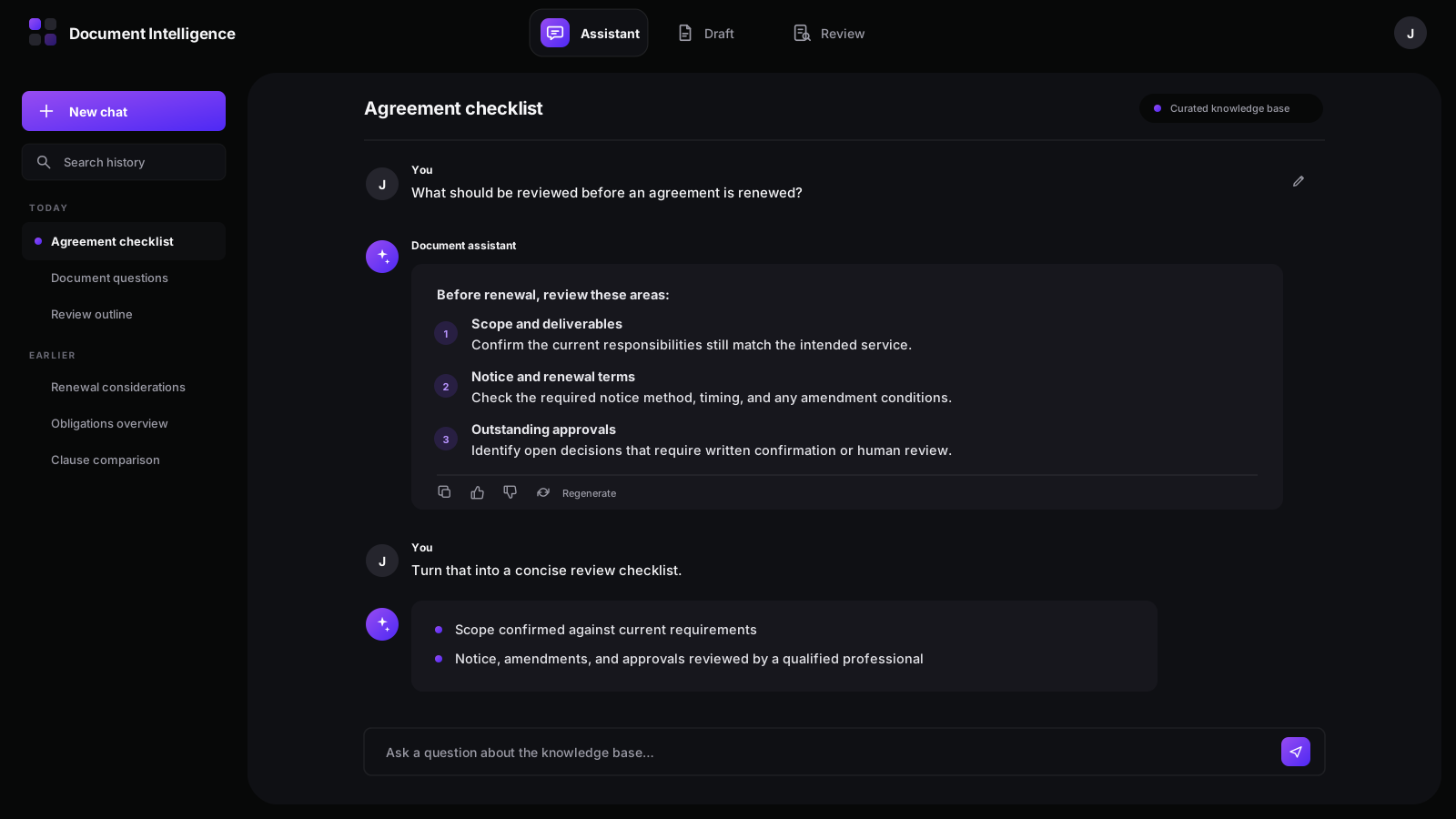
The research assistant allows users to ask natural-language questions against a curated document knowledge base. Relevant content is retrieved semantically and supplied to a conversational AI workflow, allowing users to continue with contextual follow-up questions.
Conversation history is retained and can be searched, renamed, or revisited. Users can edit an earlier question, regenerate an answer, copy a response, and provide structured positive or negative feedback.
Template-guided drafting
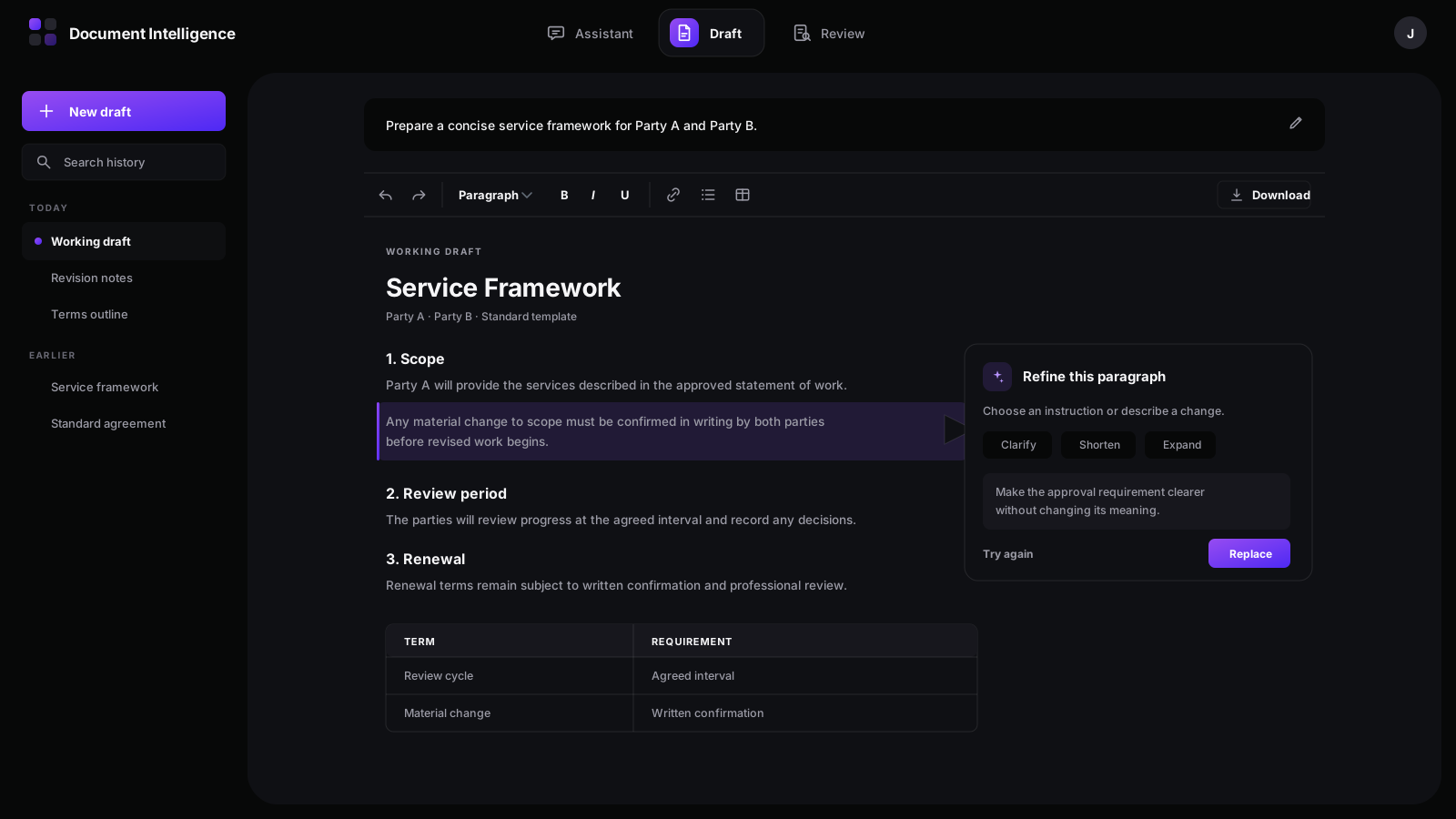
The drafting workflow was designed around curated templates rather than unconstrained document generation. A user describes the document they need and can optionally narrow the request using configurable document classifications.
The system searches the template library semantically, retrieves the most relevant starting point, and opens it inside an editable document workspace. Users can restructure the document, apply rich formatting, refine selected paragraphs with concise AI instructions, and prepare the result for professional review.
This approach combines semantic discovery with controlled editing while avoiding the risks of treating unrestricted model output as a finalized legal document.
OCR-assisted document review
The document review workflow accepts PDFs and common image formats. PDF pages are converted into reviewable page images, while OCR extracts their textual content for semantic indexing.
Once processing is complete, the workspace presents the document pages alongside an automatically generated summary. Users can then ask follow-up questions about obligations, review points, clauses, or other information contained in the uploaded material.
The split-screen experience keeps the source document visible while the user works with the AI assistant, creating a more practical review workflow than a standalone chatbot.
Human feedback and control
AI-assisted responses are treated as working material rather than final authority. Users can edit prompts, regenerate responses, compare revisions, copy content, and submit structured feedback.
Drafts remain editable, and the interface encourages professional confirmation before content is finalized or acted upon.
Architecture and engineering
The platform uses a Next.js and React frontend with a Node.js and Express service layer. PostgreSQL stores structured application records, while a vector database supports semantic search across knowledge documents, review content, drafting templates, and conversation history.
Uploaded document assets are handled separately through object storage. The document-review pipeline converts PDF pages into images, performs OCR, divides the extracted text into overlapping semantic chunks, generates embeddings, and stores those chunks for contextual retrieval.
When a user asks a question, the platform retrieves relevant document context, reconstructs the conversation history, and streams the generated response back to the interface. This provides a more responsive experience while preserving follow-up context.
The result
The result was a cohesive functional prototype demonstrating three high-value legal document workflows in one system: semantic research, template-guided drafting, and OCR-assisted review.
The project established a practical product experience and an end-to-end technical foundation for turning static legal documents into searchable, editable, and conversational working material.
It also created a clear path for future production hardening, including stronger authentication and role-based access, audit logging, source-citation interfaces, model evaluation, operational monitoring, and deployment-specific data-governance controls.
Confidentiality
Because this engagement involved confidential material, every visual and example in this case study has been recreated with synthetic content. No client name, government entity, jurisdiction, legal matter, user, domain, or original source document is disclosed.
It is a workspace that combines semantic document search, conversational research, document review, and assisted drafting. Users can work with curated knowledge or uploaded files through natural-language questions while keeping the underlying document workflow editable and subject to professional review.
The functional prototype included three core workflows: semantic research over a curated knowledge base, template-guided document drafting, and OCR-assisted review of uploaded PDFs and images.
The verified drafting workflow is template-guided rather than fully unconstrained. It semantically retrieves a relevant curated template and opens it inside an editable workspace, where users can refine selected text and prepare the document for professional review.
No. The platform is designed to support document research, drafting, and review—not to provide final legal decisions or replace qualified professionals. Its output should be treated as working material and reviewed before being finalized or acted upon.
The verified review workflow supports PDF and common image formats such as JPG and PNG. Curated drafting templates can also be prepared from DOC and DOCX files before being indexed for retrieval.
The prototype separates structured records, semantic indexes, and uploaded document assets. It also uses time-limited signed links for document previews. A production deployment would require organization-specific authentication, role-based access, audit logging, retention policies, and compliance validation.
Stay ahead of the curve!
Get expert news weekly in our newsletter.
Explore more case studies
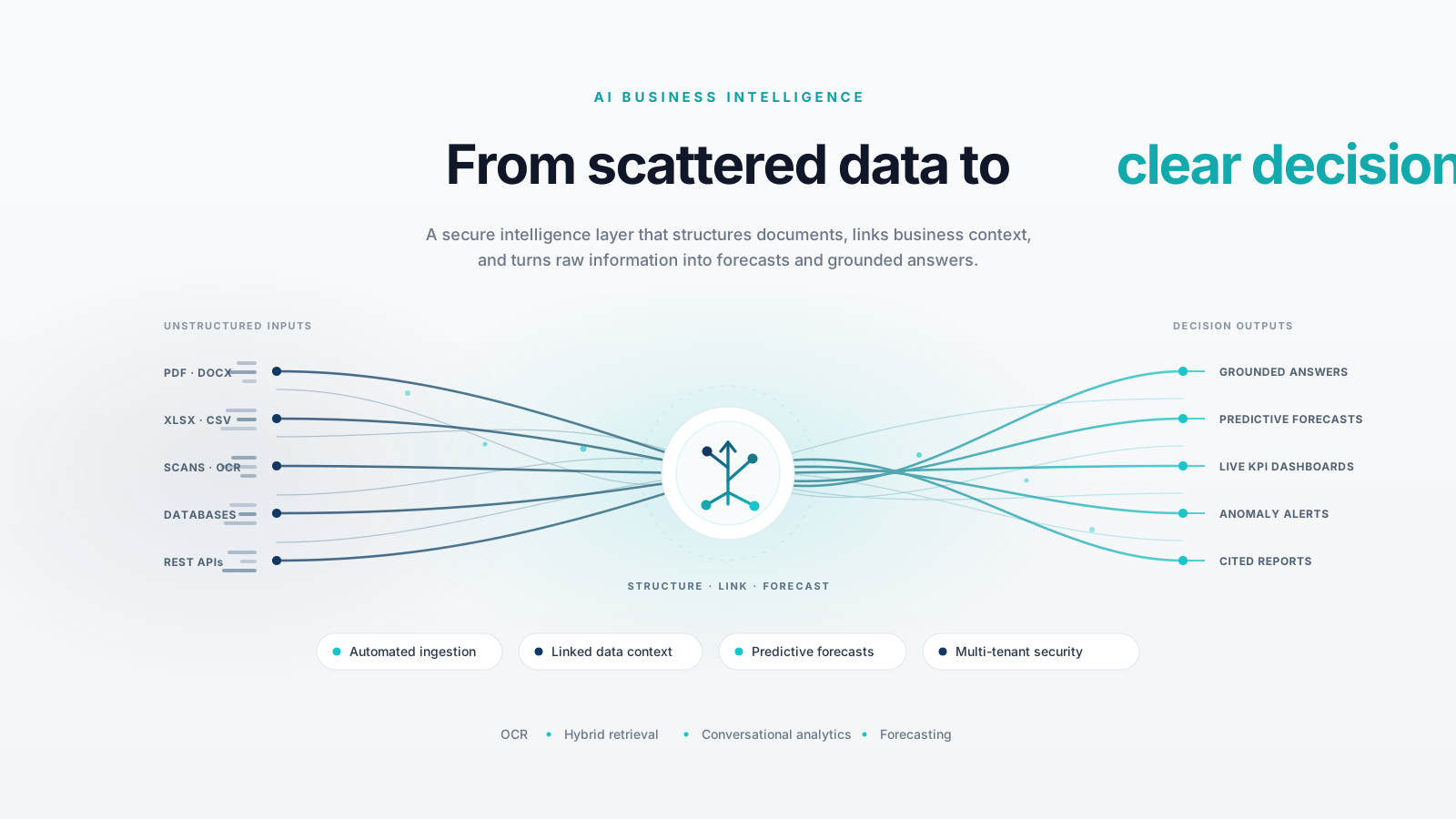
AI-Powered Business Intelligence Platform Architecture
Built a secure, multi-tenant AI business intelligence platform that converts raw financial data into structured insights using automated ingestion, OCR, intelligent data linking, conversational analytics, and predictive forecasting on scalable AWS infrastructure.
Behavioral AI
We built a specialized behavioral AI platform for financial communications, designed to help professionals communicate more clearly and build trust with institutional investors. With privacy-conscious architecture, scalability, and emotion-aware analysis at its core, the platform brings deeper behavioral intelligence to high-stakes financial communications.