AI Architecture Behind Reliable AI Agents: Queues, Logs, Retries, and State
Published on June 20, 2026
Use AI to summarize this article
 ChatGPT
 Claude
 Grok
Grok Perplexity
 GoogleAI
What AI architecture really means in production
AI architecture is not just choosing a model and writing prompts. That may be enough for a demo, but it is not enough for a production system where users expect the workflow to finish, errors to be tracked, and results to be trusted.
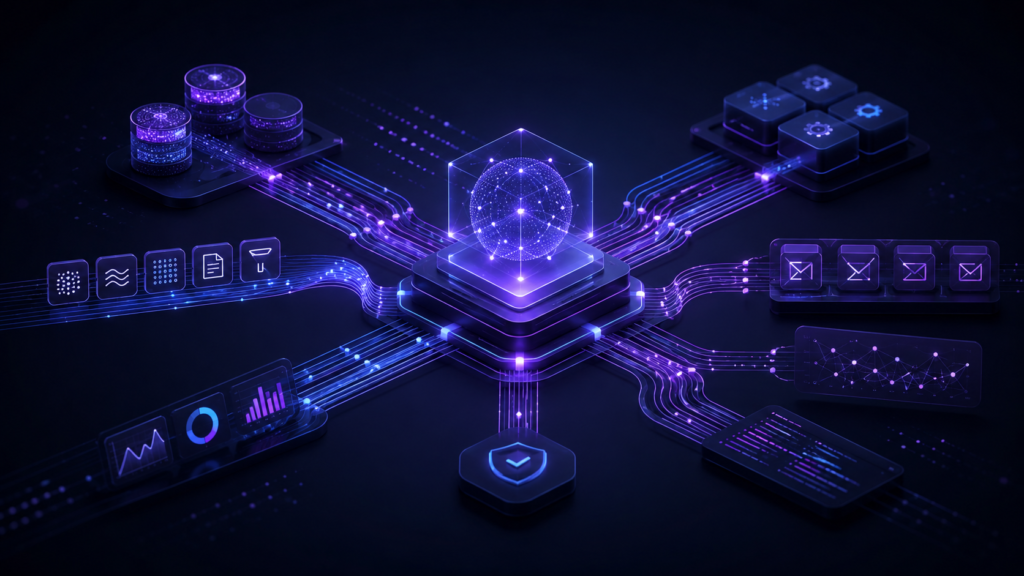
In real software, AI architecture means designing the full system around the model. That includes the API layer, queues, workers, retries, state management, tool calls, logs, observability, permissions, and failure handling. The model is only one part of the system. The architecture decides when the model runs, what data it receives, what tools it can use, how errors are handled, and how the final result is saved.
This article uses a Node.js style stack as an example with Fastify, BullMQ, Redis, and PostgreSQL. But the principles are not limited to Node.js. The same AI architecture can be designed with Python, Go, Java, .NET, or any backend stack. BullMQ can be replaced with Celery, Temporal, Sidekiq, RabbitMQ, AWS SQS, or another queue system. The tools can change. The architecture principles stay the same.
Why reliable AI agents need architecture
An AI agent usually does more than call a model once. It may read user input, check business data, call tools, search documents, update records, generate a response, and save the result. Each step can fail.
The model can timeout. A third party API can return an error. A database write can fail. A tool call can run twice. A user can refresh the page while the agent is still working. A worker can crash in the middle of a task. A rate limit can block the next request. If the system does not handle these cases, the agent becomes unreliable.
This is why enterprise AI systems need workflow architecture. You cannot depend on one API request to complete a long running AI task. You need a system that can accept the request, move it into a queue, process it safely, track every step, and recover when something goes wrong.
A simple flow looks like this:
User request → API layer → Queue → Worker → Model call → Tool calls → Database state → Logs → Final result
That flow is not complicated, but it is important. It separates the user request from the actual work. The API does not need to keep waiting while the agent thinks, calls tools, or processes data. The system can return a job ID quickly, then process the workflow in the background.
Do not run long AI workflows inside API requests
One common mistake is running the full AI workflow directly inside an API request. This may work during testing, but it breaks down quickly in production.
AI workflows are usually slower than normal API calls. A model response may take a few seconds. A tool call may take longer. A document search may need database queries. A third party system may be slow. If everything runs inside one request, the user is stuck waiting and the backend becomes harder to scale.
A better approach is to use a queue. The API receives the request, validates it, creates a workflow record in the database, adds a job to the queue, and returns a job ID. A background worker then picks up the job and runs the agent workflow.
This gives the system more control. You can retry failed jobs, limit concurrency, track progress, recover from worker crashes, and show the user a proper status instead of leaving them with a loading screen.
Why queues matter in AI architecture
Queues are important because AI workflows are not always instant or predictable. A queue gives you a controlled way to process work in the background.
In a Node.js system, BullMQ with Redis is a common option. BullMQ can manage background jobs, attempts, retries, delays, stalled jobs, and worker processing. Redis acts as the backend for queue coordination and fast state operations.
A queue helps with four important things.
First, it protects the API layer. The API does not need to do all the heavy work immediately.
Second, it helps control load. If 500 users start AI workflows at the same time, the system can process jobs based on worker capacity instead of crashing.
Third, it makes retries possible. If a model call fails or a tool times out, the job can be retried based on a clear policy.
Fourth, it gives the engineering team better visibility. You can see which jobs are waiting, active, completed, failed, delayed, or stuck.
For enterprise AI architecture, this matters because reliability is not only about the model answering correctly. It is also about the system finishing the workflow safely.
Why state should live in the database
A reliable AI agent needs state. Without state, you cannot properly answer basic questions like:
What is this workflow doing right now?
Which step failed?
What tools were called?
Did the final result get saved?
Can this job be retried safely?
PostgreSQL is a good place to store durable workflow state. Redis is useful for queues, locks, counters, and temporary workflow data, but important business state should usually live in a database that is easier to query, audit, and recover.
For an AI agent workflow, the database can store records like workflow ID, user ID, input summary, current status, current step, started time, completed time, failed time, failure reason, model used, tool calls, final output, and retry count.
This makes the system easier to operate. If a user reports an issue, the team can check the workflow record and understand what happened. If a job fails, the system can show a useful error instead of hiding the failure. If a workflow needs to be retried, the system knows what has already happened.
State is what turns an AI feature from a black box into a real product.
Retries must be designed carefully
Retries are useful, but careless retries can create serious problems. If the agent only reads data and generates a response, retrying is usually safe. But if the agent sends an email, creates a ticket, updates a CRM record, or triggers a payment related action, retrying blindly can create duplicate actions.
This is why AI architecture needs idempotency. A workflow step should be designed so that running it twice does not create two different business actions by accident.
For example, if an agent creates a task in a CRM, the system should store the external task ID after the first successful call. If the job retries later, it should check whether the task already exists before creating another one.
Retries should also have limits. A failed job should not retry forever. Use a maximum attempt count, delay between retries, and clear failure status when the job cannot be completed. For temporary errors, exponential backoff can help. For permanent errors, retrying only wastes time and resources.
A reliable system knows the difference between a temporary failure and a bad request.
Tool calls need tracking
AI agents become useful when they can use tools. They may search a database, read documents, call an internal API, update a record, or send a notification. But every tool call adds risk.
The agent may call the wrong tool. It may send incomplete arguments. The external API may fail. The result may be empty. The same tool may be called multiple times. If none of this is tracked, debugging becomes painful.
Every important tool call should be logged with structured data. Store the tool name, input parameters, output summary, status, error message, execution time, and workflow ID. Do not blindly store sensitive raw data. For enterprise systems, logs should be useful without leaking private customer information.
This is especially important for AI agents because model behavior is less predictable than normal code. You need to know what the agent tried to do and what happened after each step.
Logs and observability are not optional
Logs tell you what happened. Metrics tell you how often it happened. Traces help you follow a request across services. Together, they make the system observable.
For AI architecture, observability should include both normal backend signals and AI specific signals. Normal signals include request latency, queue wait time, worker processing time, error rate, retry count, database query time, and API failure rate.
AI specific signals include model latency, token usage, tool call count, failed tool calls, empty retrieval results, rejected outputs, and workflow failure reasons.
This is not only for developers. It also helps the business. If an AI workflow is slow, expensive, or failing often, the team needs to know. If one tool integration causes most failures, that should be visible. If a certain workflow costs too much to run, the architecture should make that measurable.
Without observability, the team is guessing.
Safe workflow execution
Reliable AI agents need boundaries. The system should know what the agent can do, what it cannot do, and what needs human review.
Low risk actions can often be automated. Examples include generating a report, creating a draft, summarizing data, or showing a recommendation. Higher risk actions need more control. Examples include sending external messages, changing financial records, deleting data, or updating customer facing systems.
A safe AI workflow should include permission checks, clear tool access, idempotency keys, retry limits, audit logs, and readable failure messages. It should also avoid hidden actions. If the agent triggers something important, the system should show what happened and why.
Enterprise users do not only care whether the AI can complete a task. They care whether the system can be trusted when something goes wrong.
What production ready AI architecture looks like
A production ready AI agent should not be judged only by the quality of one response. It should be judged by how the full workflow behaves under real conditions.
Can the workflow survive a model timeout?
Can it retry without creating duplicates?
Can it recover from a worker crash?
Can it show the user the current status?
Can the engineering team debug failed jobs?
Can the business audit important actions?
Can sensitive data be protected in logs?
Can the system scale when usage increases?
These questions are more important than model hype. Better models help, but they do not replace architecture.
Final thoughts
Reliable AI agents are built with software engineering, not prompts alone. The model is important, but the architecture around the model decides whether the system can work in production.
For enterprise AI architecture, the foundation should include queues, retries, durable state, tool call tracking, logs, observability, and safe workflow execution. Whether the stack is Node.js, Python, Go, Java, or something else, the principle is the same.
Do not build AI agents as one long API request.
Build them as workflows.
Keep the state visible.
Track every important step.
Handle failure directly.
Make retries safe.
Log enough to debug without exposing sensitive data.
That is how AI architecture moves from a demo to a system that real businesses can trust.
AI architecture is the system design around an AI model. It includes how requests are received, how jobs are processed, how data is stored, how tools are called, how failures are handled, and how results are logged. In production, AI architecture matters more than just choosing a model.
AI agent architecture is the structure behind an AI agent workflow. A reliable AI agent usually needs an API layer, queue system, background workers, database state, tool call tracking, retries, logs, and observability. Without these parts, the agent may work in a demo but fail in real usage.
AI agents need queues because many AI workflows take time. The system may need to call a model, use tools, search data, process files, or wait for external APIs. A queue lets the backend process these tasks in the background instead of forcing everything to run inside one API request.
Long AI workflows should not run directly inside API requests because they can timeout, block the user, and make the system harder to scale. A better approach is to create a job, add it to a queue, process it with a worker, and track the status in the database.
State management means tracking what is happening inside an AI workflow. This includes the current step, job status, tool calls, errors, retries, final output, and failure reason. Good state management makes AI systems easier to debug, retry, and audit.
Retries allow a failed workflow step to run again when something temporary goes wrong, such as a model timeout or API failure. But retries must be designed carefully. If a workflow sends emails, creates records, or updates external systems, the system must prevent duplicate actions.
An AI agent system should log the workflow ID, user request, model calls, tool calls, tool results, errors, retry attempts, execution time, and final output status. Sensitive data should not be blindly stored in logs. Logs should help developers debug without exposing private business data.
A production ready AI architecture can handle failures, retries, timeouts, duplicate prevention, queue processing, workflow state, logging, observability, and safe tool execution. It should not depend on one long request or one model call completing perfectly every time.
Prompt engineering focuses on improving the instructions given to the model. AI architecture focuses on the full system around the model. Prompting helps the model respond better, but architecture makes the workflow reliable, traceable, scalable, and safe.
The best architecture depends on the use case, but most reliable AI agents need the same foundation: an API layer, queue system, background workers, durable database state, retry logic, tool call tracking, logs, and observability. The stack can be Node.js, Python, Go, Java, or something else. The principles stay the same.